Hotel accessibility information should tell guests what they can actually use before they book. Include the arrival route, entrances, lifts, room layouts, bathrooms, communication features, booking options and any limitations. Use verified descriptions, useful photographs and measurements where they help someone judge suitability.
A label such as “accessible room” leaves important questions unanswered. Can a guest reach that room without steps? Which side of the bed has transfer space? Is the shower step-free? Can someone contact reservations without making a phone call?
This guide gives hotel owners, managers and website teams a practical way to organise those answers. It focuses on pre-booking information, not a certification of building accessibility or a complete technical website audit.
Why specific information matters before booking
Imagine a guest comparing two hotels. Both advertise an accessible room, but only one shows the bathroom layout and explains the route from reception. The other may be suitable, yet the guest has no reliable way to decide. This is an illustrative scenario, not a measured booking result.
VisitEngland’s guidance on accessibility information distinguishes a quick summary of key features from a more detailed access guide with photographs and measurements. Together, these help visitors make choices based on their own requirements.
For a hotel, clearer information may reduce repetitive questions and prevent mismatched expectations. Measure those effects in your own enquiries and feedback rather than assuming a particular increase in bookings.
For the wider business context, read our practical guide to accessibility for businesses.
Hotel accessibility information: a practical website checklist
The following is an EVARAACCESS editorial checklist for organising information. It is not a technical inspection standard. Describe the conditions at your property and arrange competent measurement or assessment where details are uncertain.
1. Arrival, parking and the entrance
- Identify the entrance with step-free access and explain whether it is the main entrance.
- Describe the route from parking or the drop-off point, including surfaces, slopes, thresholds and any steps.
- Explain whether doors are automatic, manually operated or require staff assistance.
- State any restricted opening times, gates or procedures for accessing an alternative entrance.
Do not describe an entire journey as step-free if one section still involves a step. A photograph of the doorway alone will not show a barrier further along the route.
2. Reception and routes through the building
Explain how guests reach reception, their room and shared facilities. Identify floors served by lifts and any places reachable only by stairs. Where relevant, publish verified lift-door clearance and internal dimensions, clearly labelled with units.
Describe the check-in arrangements, available seating and alternatives to a high reception counter. Separate facilities that guests can use independently from those that depend on staff availability.
3. Room-specific access details
Attach information to the actual room type offered for booking. Avoid applying one room’s photographs or measurements to several different layouts.
- Room location and the route to it.
- Clear opening width of the room door, where verified.
- Bed height and usable space beside the bed.
- Which side or sides provide transfer space.
- Position of controls, sockets and storage.
- Equipment available, with advance-booking conditions where applicable.
Identify what each measurement describes. “Door width” can be ambiguous; the usable clear opening is different from the width of the door leaf. Do not guess technical dimensions or imply that one measurement proves suitability for every wheelchair.
4. Bathroom layout and equipment
Show the toilet, basin and bathing area from angles that explain the layout. Describe shower thresholds, fixed or removable seating, grab rails and the position of transfer space. If bathing involves a tub, say so clearly.
Disclose limitations plainly. For example, a room may have a step-free entrance while its shower has a raised edge. Avoid hiding that distinction behind “accessible bathroom.”
5. Hearing, vision, sensory and communication features
Include more than mobility information. List verified features such as visual alarms, hearing support, large-print information or quieter waiting spaces. State where each feature is available and whether it needs to be requested.
Describe relevant environmental conditions, such as music in reception or variable lighting, without promising a universally “sensory-friendly” experience. Give guests an email or accessible contact form as well as a telephone option.
6. Dining and shared facilities
Explain the route to breakfast, restaurants, meeting rooms and public toilets. State whether any leisure areas have separate access arrangements. A suitable bedroom does not automatically mean that the guest can use the rest of the hotel.
Keep claims precise: distinguish the presence of equipment from whether it is operational, available during the guest’s stay and supported by the necessary procedures.
7. Booking, assistance and known limitations
Explain how guests select the relevant room and confirm essential features. If an online room name is unclear, replace it with a useful description. Keep the website, booking engine and reservations team’s information consistent.
List assistance that staff can actually provide, the times it is available and how to request it. Invite questions about practical requirements without asking guests to disclose unnecessary medical details.
Austrade’s WELCOME Framework recommends specific descriptions rather than broad accessibility claims, consistent communication and accurate information across booking channels. It also encourages businesses to ask before providing assistance.
Turn vague claims into useful hotel access descriptions
The examples below show an editorial approach, not verified details of any hotel. Replace every placeholder with information checked at your property.
| Vague wording | What to publish instead |
|---|---|
| Wheelchair-friendly hotel | Describe the step-free route from the named entrance to reception, the booked room and breakfast. Identify any areas with steps. |
| Accessible bedroom | State the room type, measured clear door opening, bed height and which side has transfer space. Include labelled photographs. |
| Accessible shower | Describe the threshold, shower seat, grab rails and clear space. Explain whether the equipment is fixed or available on request. |
| Help available | Explain the specific assistance offered, staffing hours, advance notice and an email or contact-form option. |
A room-description template your team can adapt
Room type: [name shown in the booking engine]. Route: [entrance, floor, lift and any thresholds]. Door: [verified clear opening and units]. Bed: [height and transfer-side clearance]. Bathroom: [shower threshold, seating, rails and toilet transfer side]. Communication features: [verified equipment and how to request it]. Limitations: [specific barriers]. Contact: [staffed channel and hours]. Last checked: [date].
Do not turn this template into a checklist of unsupported “yes” answers. Where a detail has not been verified, say so and explain how a guest can obtain confirmation.
Use photographs that answer a guest’s question
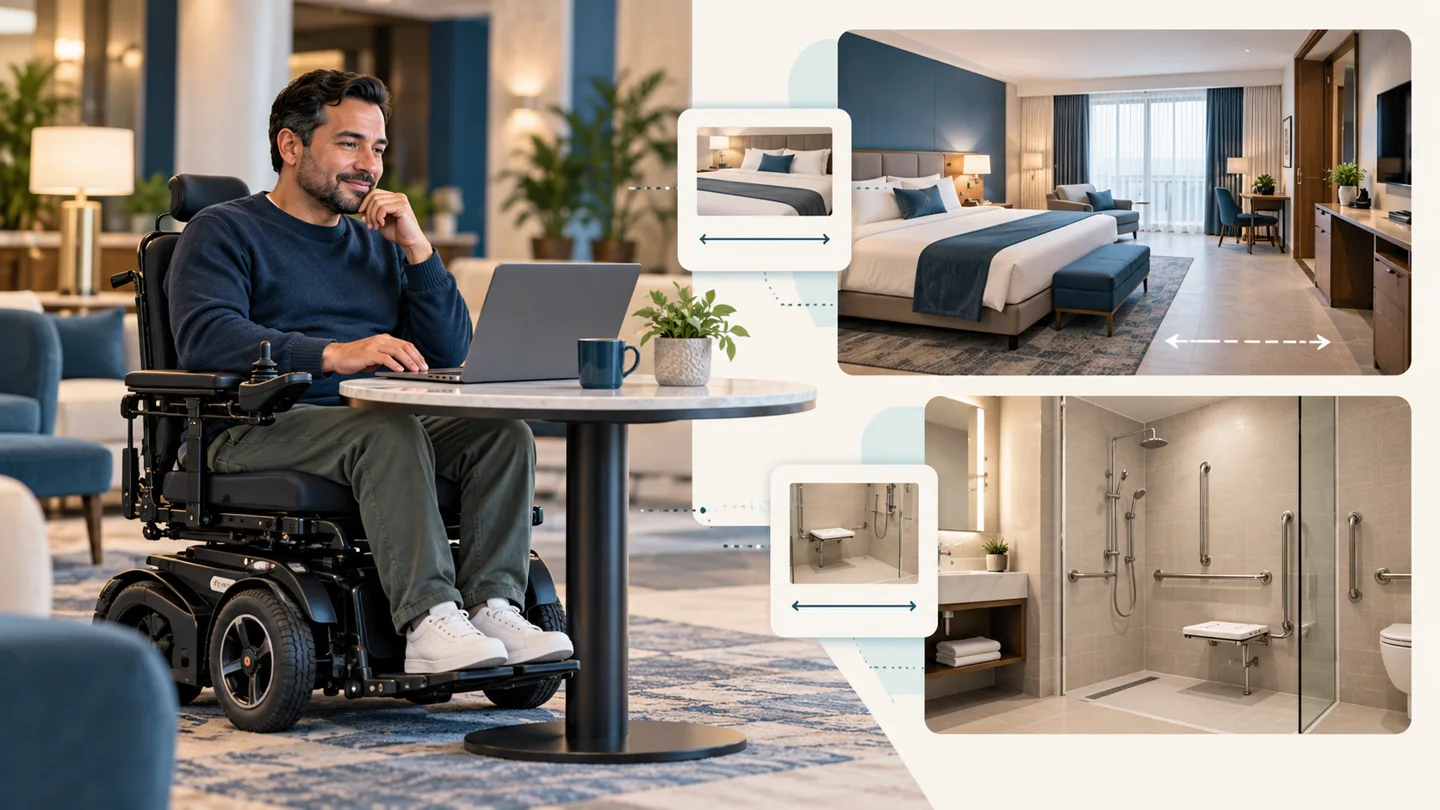
A useful hotel access photograph shows context: the approach to an entrance, the complete route around a bed or the layout of a bathroom. Include captions identifying the room or location and explaining what the image shows.
Use current photographs of your actual property. Do not use stock or AI-generated rooms as evidence of facilities that guests will find. The conceptual illustration accompanying this article is educational, not a photograph of a verified hotel.
Retake photographs when layouts or facilities change. Avoid extreme wide-angle images that make tight spaces appear larger, and remove identifiable guests from photographs unless you have appropriate permission.
Make the information itself easy to use
Create a clearly named hotel access page and link to it from room descriptions, booking pages and navigation. Keep the essential information available as readable web text rather than only as a downloadable file.
Follow W3C’s accessible writing guidance: use meaningful headings, descriptive links, clear wording and appropriate text alternatives for informative images. Have the booking journey checked for keyboard and assistive-technology usability as a separate task; good copy alone does not establish digital accessibility.
Also distinguish your property access guide from your website accessibility statement. W3C’s statement guidance covers matters such as the website’s accessibility approach, known limitations and ways to report problems. A statement does not replace room and facility information.
Booking forms also need clear labels, instructions and error messages. Check the date picker, room selection, payment and confirmation with a keyboard and relevant assistive technology. W3C’s accessible forms tutorial explains these form-design principles.
A simple process for keeping information accurate
- Assign an owner: name the staff member responsible for collecting and maintaining access information.
- Record evidence: keep each claim with its location, photograph or measurement source, verification date and unresolved questions.
- Check room variations: confirm that the online description matches the room a guest can actually book.
- Review with users: ask disabled guests or paid reviewers which questions remain unanswered. Do not treat one person’s experience as representing everyone.
- Update after changes: revise affected information when equipment, layouts or operations change, and show a last-reviewed date.
For a manageable first step, review one complete route: arrival, check-in, room, bathroom and breakfast. Publish what you can verify, clearly identify remaining uncertainty and make a plan to resolve it.
Plan for equipment outages and assistance
Explain how guests are told about a lift outage or an unavailable essential feature before arrival. Describe how to discuss evacuation assistance with the hotel and which approved procedures staff follow. Have safety arrangements assessed by competent local specialists; an access page must not invent an evacuation promise.
Does this satisfy accessibility law?
Not by itself. Legal obligations depend on the country, the property and the service. In the United States, ADA Title III regulation §36.302(e) includes requirements for covered lodging reservation services to describe accessible features in enough detail for guests to assess whether a hotel or room meets their needs. This is a US requirement, not a universal rule for every hotel worldwide.
Use this article to improve customer information. Obtain appropriate local advice for legal compliance, building requirements and safety assessments.
Frequently asked questions
Is an “accessible room” label enough?
It does not explain the room’s layout or specific features. Add room-specific descriptions, relevant measurements, photographs and known limitations so guests can make an informed decision.
Should a hotel publish accessibility limitations?
Yes. Describe the affected area and what it means for the journey. Explain any reliable alternative without suggesting that assistance removes every barrier.
Can a small hotel start without a full access guide?
Start with a verified summary of existing features and clear contact options. Treat that as a first step, then obtain more detailed assessment where needed. Do not label an incomplete summary a comprehensive audit.
Your next step
Open one room page on your website and ask: Could a guest decide whether this room meets their requirements without guessing? Identify three unanswered questions, verify the answers with your team and add them to that room’s description.
Use Evaraaccess’s Business Accessibility Journey Checker to reflect on information, booking, service and staff barriers across the wider journey. It is a starting point for identifying questions, not a substitute for a property assessment.
Clear hotel accessibility information gives guests the evidence to make their own choices. That is a practical starting point for a more usable customer journey.
Editorial scope: practical guidance for hotel owners and website teams, based on the linked primary sources. Sources reviewed 7 October 2026. This article is not an on-site assessment, certification or legal opinion.